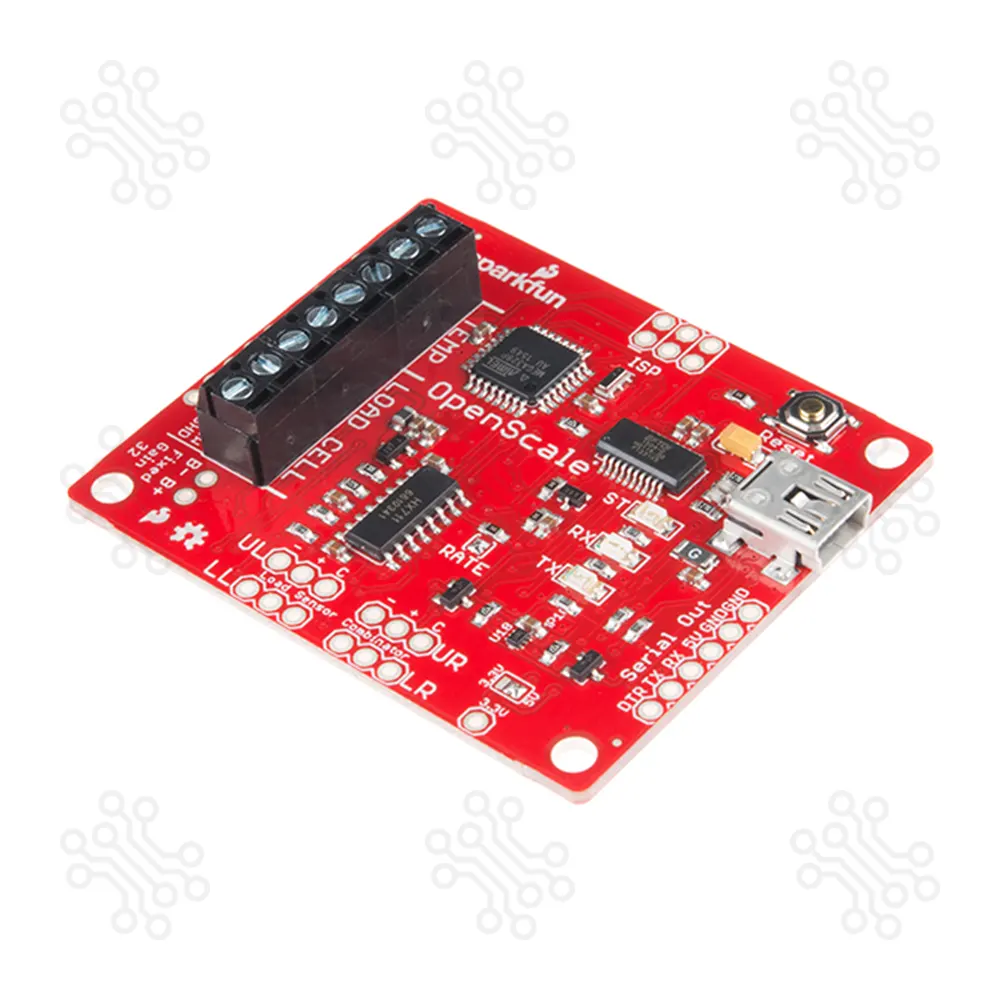
SparkFun OpenScale for Measuring Weight and Temperature
$32.8
$51.5
Description of SparkFun OpenScale for Measuring Weight and Temperature The SparkFun OpenScale is a simple, open-source solution for measuring both weight and temperature. Designed for versatility and ease of use, it supports multiple load cell types and provides a user-friendly serial menu to configure calibration values, sample rates, time stamps, and units of precision. Whether for hobbyist projects or industrial applications, OpenScale allows you to set up a reliable weighing system quickly. Connect a four-wire or five-wire load cell, plug into a USB port, open a terminal at 9,600 bps, and begin receiving mass readings instantly. OpenScale is ideal for static load monitoring (e.g., beehive tracking) or applications requiring continuous measurement (e.g., conveyor belt systems). It can operate for months without user interaction once installed Key Features Easy Integration – Plug-and-play operation with four-wire or five-wire load cells Multiple Load Cell Compatibility – Supports any capacity within a Wheatstone bridge configuration Serial Configuration Menu – Adjust calibration, sample rate, precision, and more Long-Term Operation – Designed for continuous, unattended use Temperature Monitoring – Built-in ambient temperature sensor (TMP102) plus support for external temperature sensors Selectable Data Rate – 10 SPS or 80 SPS output options Fixed & Adjustable Gain – Adaptable for different measurement needs Wide Baud Rate Range – From 1,200 bps to 1,000,000 bps (default 9,600 bps 8-N-1) Technical Specifications Feature Specification Operating Voltage 5 V Operating Current 80–100 mA Data Output Rates 10 SPS or 80 SPS Power Cycling >500 ms Temperature Sensors Local (onboard) & External Microcontroller ATmega328P ADC HX711 24-bit ADC USB Interface FT231 with mini-USB Baud Rate 1,200 bps to 1,000,000 bps Application DIY Weighing Systems Beehive Monitoring Industrial Conveyor Belt Load Monitoring Agricultural Weight Tracking Laboratory Measurement Systems Included Onboard Components ATmega328P Microcontroller – Manages communication and data processing HX711 24-bit ADC – High-resolution weight measurement TMP102 Temperature Sensor – Monitors ambient conditions FT231 USB-to-Serial Converter – Simple PC connectivity Getting Started Connect Load Cell – Attach a four-wire or five-wire load cell USB Connection – Plug OpenScale into your computer Open Serial Terminal – Set to 9,600 bps, 8-N-1 View Data – Mass readings appear immediately; configure via the serial menu Resources Arduino Library Schematic Eagle Files Particle Sketch GitHub Repository Document SparkFun Tutorials Packaging Details 1 x SparkFun OpenScale SparkFun OpenScale - Frequently Asked Questions Why do readings drift over time with a static load? Load cells can exhibit creep, meaning their output can gradually change when a weight remains on the scale for extended durations (30 minutes or more). This is expected behavior of strain-gauge load cells and not a fault in the OpenScale.SparkFun Learn How is calibration performed on the OpenScale? The OpenScale features an intuitive serial calibration function: Remove all weight from the scale. Place a known weight. Use the serial menu commands (“ ” or “a” to increase, “–” or “z” to decrease, “0” to zero, “x” to save and exit). This allows fine-tuning of the calibration factor. Why do I get large negative readings when there’s no load? Because the OpenScale uses a 24-bit ADC (HX711), even tiny voltage differences between input lines can produce large raw values. This is normal. Use the TARE function to zero out that offset. Also, updating to firmware version v1.2 is recommended—it includes an improved calibration experience. What does "No remote sensor found" mean in the serial output? This message refers to the absence of an external temperature sensor. It’s informational and can be safely ignored if you're not using a remote temperature probe. How do I enter configuration mode to calibrate or adjust settings? Power down the OpenScale. Connect (jumper) the Rx pin to GND on the serial header. Power it back on. The status LED will blink rapidly—indicating you're now in the settings menu and can configure device parameters like calibration, sample rate, units, etc. Why does my scale reset the excitation voltage when no load cell is connected? If the OpenScale doesn't detect a load cell, it will disable the excitation voltage (which normally powers the load cell). This is intentional behavior to minimize unnecessary power draw and protect the system when no sensor is attached. How do I wire and begin using the OpenScale? Hook up your 4-wire or 5-wire load cell to the designated inputs (E± for excitation, A± for signal). Plug the OpenScale into a USB port. Open a serial terminal at 9600 bps, 8-N-1. You'll immediately see readings. Press ‘x’ to access configuration and calibration menus. Attention Note: This item is non-returnable. If this item arrives damaged or is not functioning properly, don't hesitate to get in touch with us to determine if further actions may be taken. Need Help? Our engineers are available to assist you. If you have any queries, please leave a comment below or call 09678110110 from 09:00 am to 08:00 pm (7 days a week). You can also reach us via Live Chat or Facebook Inbox
Flex